How to Use WheresThis?
Your step-by-step guide to getting started with your personal AI shopping assistant. Voice-powered product search across all your favourite stores.

Sign In
Log in with your email and password, or use Sign in with Google for quick access. New users can tap Sign Up to create an account.
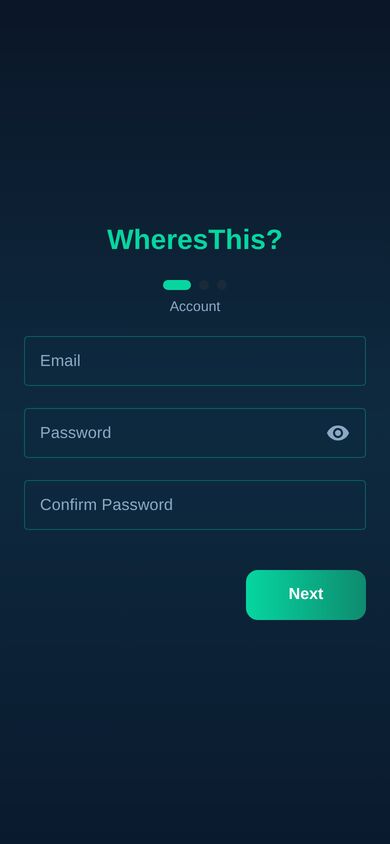
Create Your Account
Register with your email and password. A simple 3-step wizard guides you through account setup, naming your shopper profile, and configuring your AI assistant.
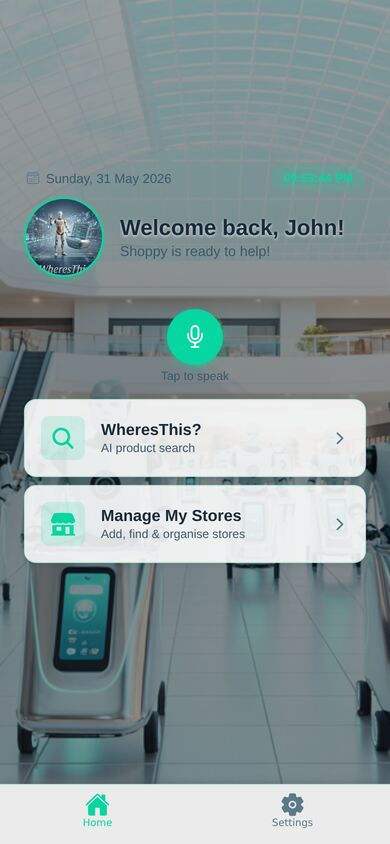
Your Dashboard
Your home base! See your personalised welcome message, tap the microphone to start a voice search, or jump into AI Product Search and Manage My Stores.
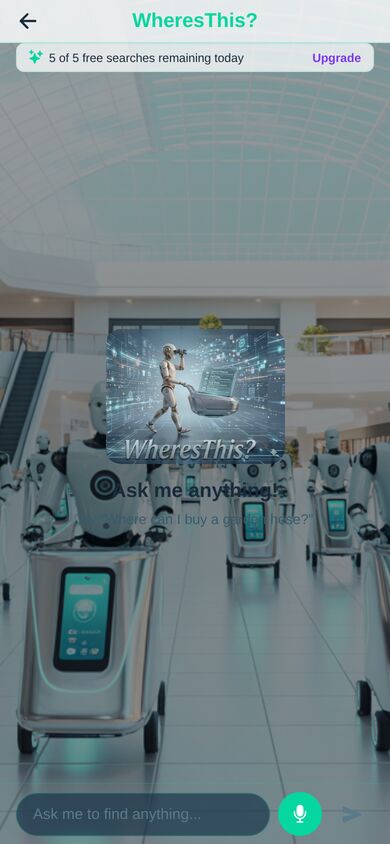
AI Product Search
Ask your AI assistant to find anything — type or use voice commands. Say "Find me a garden hose" and the AI searches across all your saved stores. Free users get 5 searches per day; Premium users get unlimited.
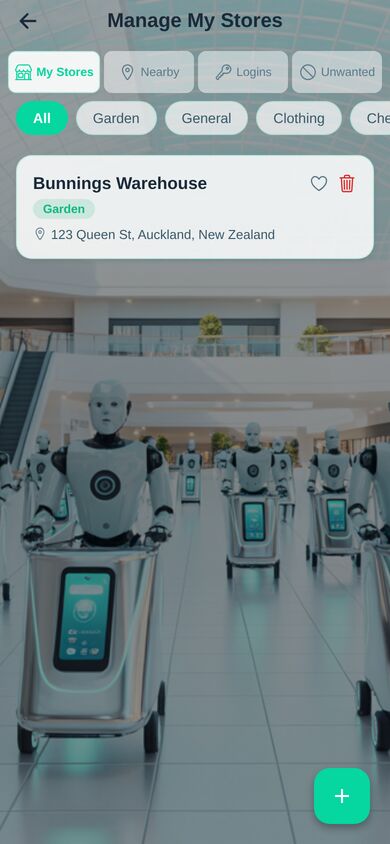
Manage Your Stores
View and organise all your saved stores. Filter by category (Garden, General, Clothing, etc.), favourite your go-to shops, or remove stores you no longer need.
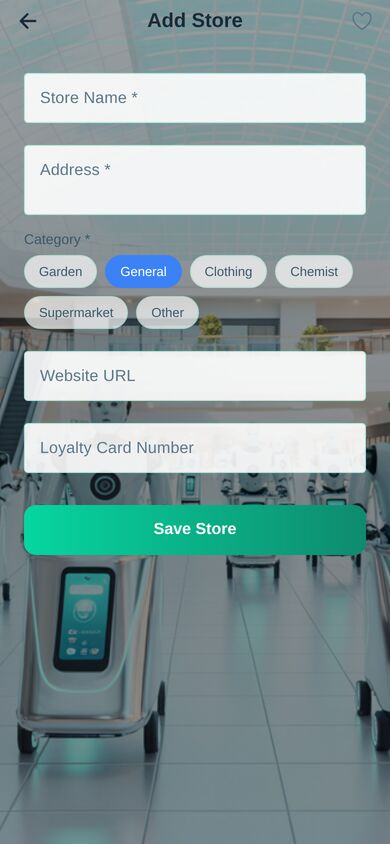
Add a Store
Tap the + button to add stores you shop at. Enter the store name, category, address, and optional website. Your AI assistant will search these stores when you ask it to find products.
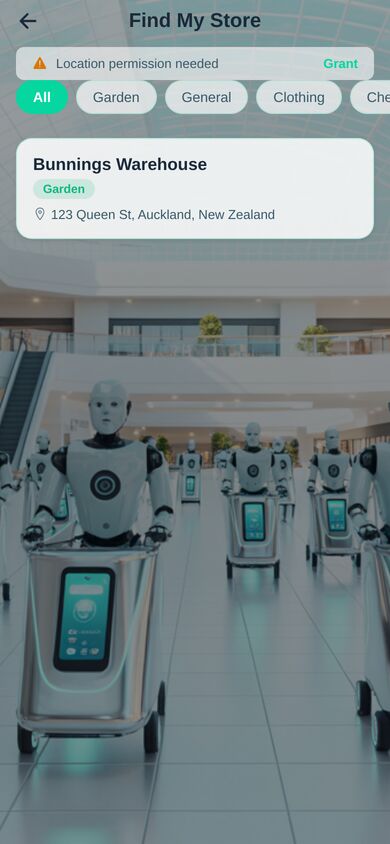
Find Nearby Stores
Discover stores near your current location. Browse what's around you and add them to your collection with a single tap.
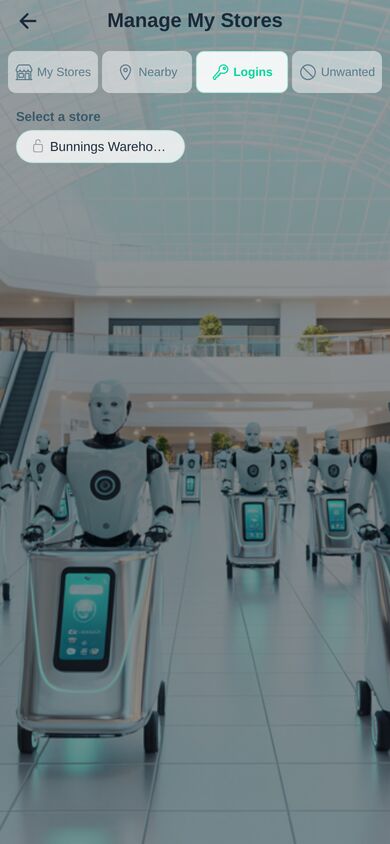
Store Logins
Securely save your login credentials for online stores. All passwords are encrypted and stored safely so your AI assistant can help you shop seamlessly.
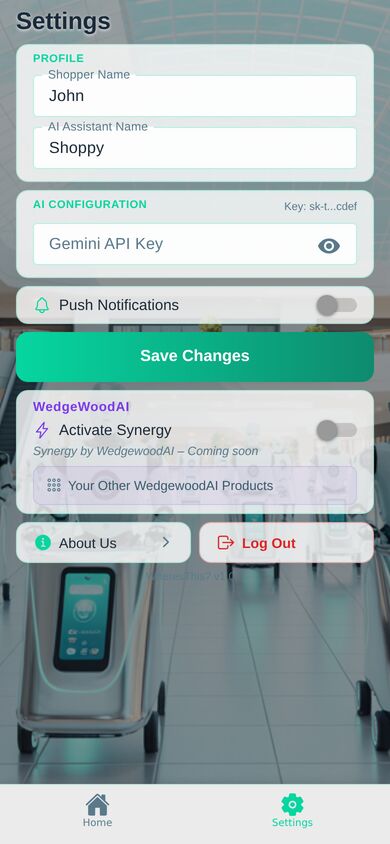
Settings & Configuration
Customise your experience — set your Shopper Name, name your AI Assistant, configure your Gemini API key, manage notifications, and explore WedgewoodAI integrations.
About WedgewoodAI
Learn more about the team behind WheresThis? — WedgewoodAI, an AI development company based in New Zealand, building intelligent tools for everyday life.